Sportsgrid Staff
Host · Writer - Last Updated: 10/22/26

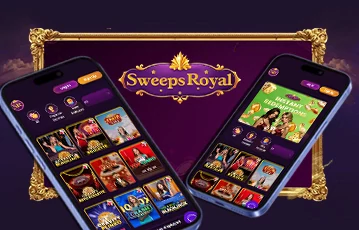
While there’s no official SweepsRoyal app, it’s worth noting that the platform is completely optimized for mobile play. This means you can easily access the site with ease and play games on your mobile device.
So far, there are ways you can make it look like you have an app for SweepsRoyal. Still, you’ll be pleased to know that the site operates as a browser-based platform; therefore, you can access it on any device, wherever you are. Continue reading below to learn how you can make the most of this site even without an app.
As a sweepstakes casino, it’s only fitting to expect that SweepsRoyal would have an app. It does let players access the site anytime and anywhere they want. In fact, most of the notable sites out there have apps to promote, and they have high ratings on either Google Play or the App Store. Flexibility is a strong suit for SweepsRoyal, which is why you can expect to have ways to play with ease.
We searched Google Play directly for SweepsRoyal and found a listing simply called Sweeps Royal, complete with a purple SR crest logo that looks almost identical to the real casino branding. Do not download this expecting a casino experience, and never enter any SweepsRoyal account details into an app you did not reach through the official site.
The real SweepsRoyal confirms directly on its own FAQ page that there is no native app to download at all. Instead, the platform is built to be installed straight from your browser, and in the next section, we are going to show you exactly how to get that done on your phone so it opens like a native app every time you tap the icon.

| Device | Installation steps | What you get |
|---|---|---|
| Android phone or tablet | Open the official SweepsRoyal site in your browser, tap the browser menu and select Add to Home Screen. | A SweepsRoyal icon appears on your home screen and opens the browser platform directly. |
| iPhone or iPad | Open SweepsRoyal in Safari, tap the Share icon, scroll down and choose Add to Home Screen. | A shortcut appears beside your regular apps. |
| Desktop using Chrome | Open the official site, select the Chrome menu and choose Install Sweeps Royal. | A desktop shortcut opens SweepsRoyal in its own app-style window. |
| Welcome bonus | Register on the official site to receive 50,000 Gold Coins and 1 Sweeps Coin. | Play slots, table games and fish games with your bonus. |
Getting SweepsRoyal set up like a real app on your phone takes just a few minutes, and once it is done, you will be able to tap straight into your account without ever opening a browser tab first. Here is exactly how we did it, from registration all the way through home screen installation.
Use our on-page banners. Start by tapping one of our on-page banners right here to land on the official SweepsRoyal site. This step matters more than it might seem, especially now that you know a look-alike listing exists elsewhere. Going through our verified banner guarantees you land on the real platform every single time, with zero chance of confusion.
Register your account. Tap Sign Up and fill in your username, email address, phone number, and a password. Before finishing, you will need to confirm you are at least 18 years old, that you do not reside in a restricted state, so find out what states is SweepsRoyal legal in before you register. This entire process took us just a couple of minutes, and completing the human verification step at the bottom of the form is the last thing standing between you and your new account.
Claim your welcome bonus. Once your account is live, SweepsRoyal rewards all new users with 50,000 Gold Coins and 1 Sweeps Coin. After you claim that, head straight for the Daily Bonus section sitting right on the main dashboard. SweepsRoyal keeps a steady stream of bonus Sweepstakes Coins and Gold Coins flowing through here, and claiming your very first reward takes just one tap. We made sure to claim this immediately after registering, since there is no reason to leave it sitting unclaimed on day one.
Spin the wheel for a random reward. Right next to the daily bonus, you will spot the Spin Wheel feature waiting for its own tap. You do not need SweepsRoyal promo codes for existing players to claim the daily login bonus. Giving it a spin hands you a random reward pulled straight from the wheel, and SweepsRoyal refreshes this chance every single day alongside the standard daily bonus. We spun ours right after claiming the daily reward, and between the two, our starting virtual balance grew nicely before we even touched a single game.
Add SweepsRoyal to your home screen. This is the step that turns SweepsRoyal from a browser tab into something that looks like a real app. On Android, open your browser menu while on the SweepsRoyal site and select Add to Home Screen. A prompt appears, and you’ll spot a SweepsRoyal icon on your phone, ready to open instantly from then on. On iOS, open Safari’s Share menu by tapping the icon at the bottom of the screen, then scroll through the options until you find Add to Home Screen and select it. On a desktop computer, Chrome users can open the browser menu and choose Install Sweeps Royal directly, which drops a proper desktop shortcut in place. Once any of these steps are done, opening SweepsRoyal is like tapping a native app icon, with no browser bar or address field in sight.

Seeing as how SweepsRoyal can operate on a browser and is available for access on mobile devices. What makes it even more promising is that you can expect to play it smoothly on your device, considering that it is one of the notable brands out there.
We saw a smooth registration process, a welcome bonus, and Spin Wheel ready the moment our account went live, and a home screen installation process that took less than a minute on both Android and iOS. Once installed, SweepsRoyal opens and feels exactly like any other app sitting on your phone, minus the confusion of a lookalike listing anywhere near it.
The SweepsRoyal app also makes it convenient to access your account and explore the platform’s features while on the go. If you’re curious about the Sweeps Royal redemption process, you can use your mobile browser or home screen shortcut to check the available redemption options and review the requirements for redeeming Sweeps Coins.
Also, for fans of Sweeps Royal jackpot slots, adding SweepsRoyal to your home screen provides a quick way to return to the platform and browse its available slot-style games.
If you’re ready to set it up yourself, use our on-page banners to sign up, claim your welcome bonus of 50,000 Gold Coins and 1 Sweeps Coin, then add SweepsRoyal to your home screen in just a few taps.
No. SweepsRoyal runs entirely through the browser. It can be installed to your home screen so it opens like an app, but there is no native app to download.
No. That listing is a completely unrelated habit tracking app that shares the SweepsRoyal name and logo. It has no connection to the real sweepstakes casino platform.
On Android, use your browser menu to select Add to Home Screen. On iOS, use Safari’s Share menu and select Add to Home Screen. On desktop, Chrome users can select Install Sweeps Royal from the browser menu.
















_1682010035.svg)